

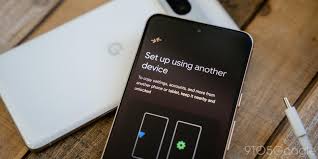
Switching to a new phone can scramble the basics: sudden login errors, missing settings, or one-time passwords that never arrive. The issue is the handoff – devices differ in clocks, permissions, and security defaults. With a tidy plan you can move fast and keep access intact, so you open the app on day one and everything behaves as expected.
Installing the official app first
Start with a trusted build before you copy anything across. For Parimatch, the safest route is the official hub: parimatch login app. Install it first on the new phone, launch once, and allow requested permissions. That ensures the package is current and the notification channels exist when you restore credentials. A clean install also avoids oddities from third-party APKs – like broken update paths or invisible permission prompts – that can derail login.
Backing up essentials before the move
Confirm you can prove who you are without the old device. Check that your email inbox is reachable, your phone number is active, and your password manager holds the latest username and password. If your app supports cloud sync for settings, trigger a manual sync now. For authenticator apps, export tokens or record backup codes in a secure place. If you rely on device biometrics to unlock saved passwords, set a fallback PIN you remember; otherwise you can lock yourself out mid-transfer.
Concrete prep helps: write down the exact ID format the app expects, the last four digits of the registered number, and the recovery email you used. Those details speed support if anything drifts during the switch.
Restoring credentials safely on the new phone
Use a password manager or the platform’s built-in password store to autofill the account. Before the first login, sync time automatically – time drift breaks TOTP codes. If you use an authenticator app, migrate tokens with the app’s export/import feature, then test one code while the old phone is still active. Keep the SIM that receives SMS codes powered on for a day after the move so late texts don’t vanish into the old handset.
If OTPs stall, check three items: airplane mode off, messages allowed from unknown senders, and no VPN rule blocking short-code SMS. For push-based approvals, disable aggressive battery savers during the first session so the approval screen isn’t killed in the background.
Avoiding common migration mistakes
• Staying signed in on the old device and forgetting to revoke it on the account’s “active sessions” page, which leaves an extra door open.
• Typing details differently from your ID (for example, “St.” where the profile shows “Street”), which triggers a verification loop.
• Skipping a required selfie or document recheck when the system flags a new device, then wondering why withdrawals stall.
• Leaving two-factor set to SMS on a number you plan to cancel; transfer to an authenticator first, then retire the old SIM.
• Running the new phone in a harsh battery profile that delays push approvals and expires OTPs before you can accept them.
Optimizing login for daily use
Once the account opens on the new device, turn on biometrics or a strong device PIN for quick access. In the app’s settings, allow “trusted device” or “remember this device” where available, then keep 2FA active for higher-risk actions. Review notification channels and leave security messages on; move marketing to a quiet mode or scheduled summary. If data saver modes are enabled, grant the app unrestricted background data during login windows so codes and approvals arrive on time.
A Parimatch example: enable Face ID or fingerprint for fast entry, keep two-factor for withdrawals, and set match alerts to banners rather than loud sounds. That keeps the account responsive without a noisy lock screen.
Responsible security habits after migration
If your old phone was shared or borrowed, change the password after the move. Visit the account’s recent activity page and sign out of devices you don’t recognize. Re-enroll biometrics on the new handset and delete them on the old one before selling or gifting it. Review granted permissions – camera, contacts, notifications, precise location – keep what you need and switch the rest off. Back up new recovery codes and store them offline, then test a login on cellular and on Wi-Fi to confirm everything works as intended.
If anything looks off – unexpected sessions or password reset emails you didn’t trigger – pause activity, rotate the password, and contact support from the verified address tied to the account.
A smoother journey across devices
Moving an app doesn’t need to mean chasing codes or re-creating settings. Install the official build first, bring credentials and 2FA across with care, and test while the old device is still nearby. Set biometrics, tune notifications, and keep a tidy list of active sessions. Parimatch fits neatly into this routine: install from the official source, sign in with your manager-stored password, and keep two-factor ready before a big match. With that sequence, your first launch on the new phone feels familiar and reliable.
